

If you spend your days moving between Python and R, wrangling dataframes, or switching between RStudio and VS Code depending on the task, there's a new tool worth putting on your radar: Positron, a free IDE built specifically for data science.
It's new to me, and relatively new itself — dating from around mid-2024. I learned about it by checking out the GitHub profile of Wes McKinney, author of pandas. I'd been searching for a good data science IDE for a long time, so I decided to give it a chance.
What is it?
Positron is a desktop IDE from Posit (formerly RStudio) designed around one idea:
data science work shouldn't force you to pick a single language or bounce between exploration tools and production tools.
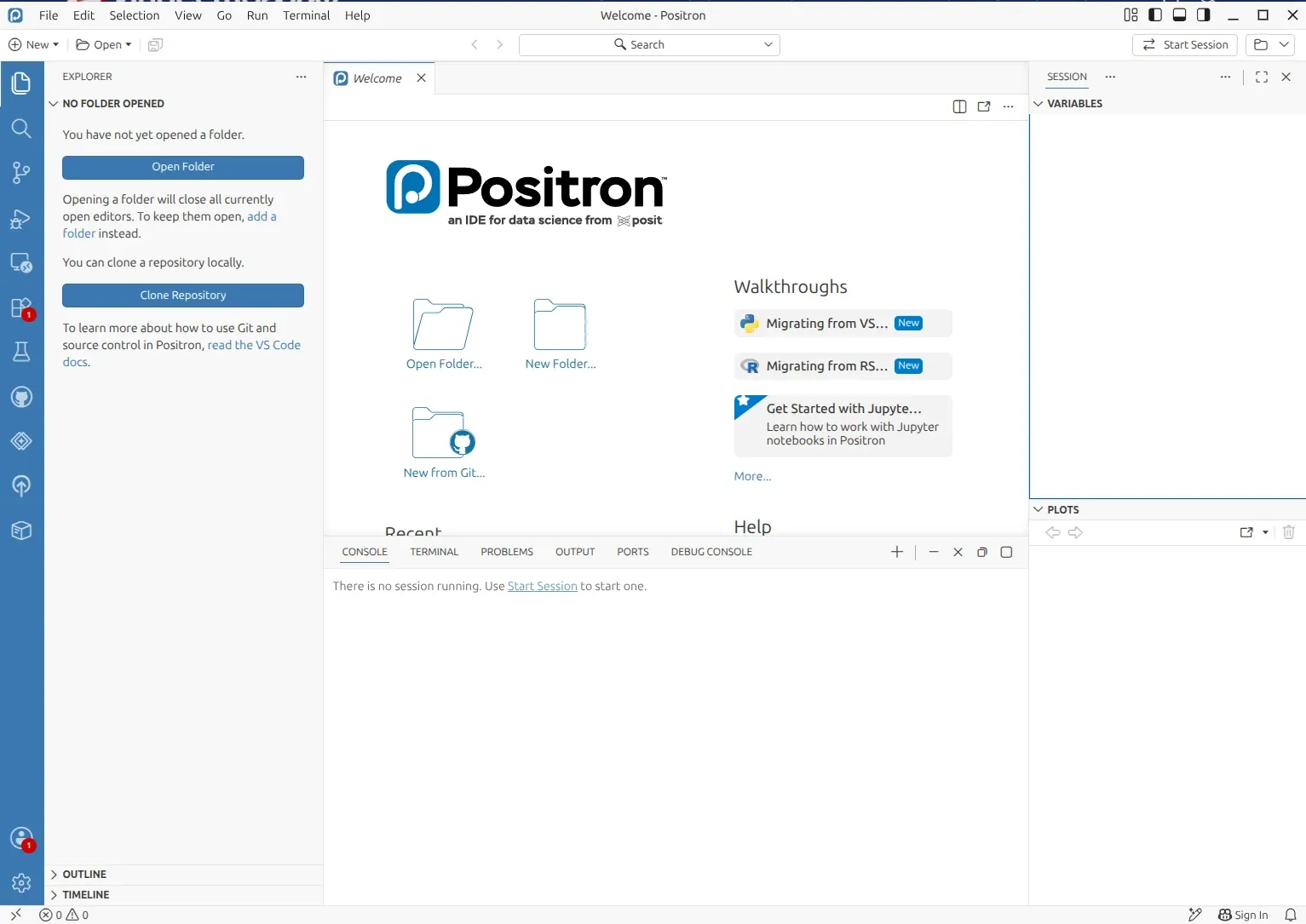
It's built as a fork of VS Code, so it inherits a familiar editor, extension ecosystem, and command palette, but it's been reshaped around the classic four-pane data science workflow that longtime RStudio users will recognize — console, editor, variables, and plots — while adding native support for both Python and R side by side.
Contributor spotlight: Wes McKinney. One of the most notable people behind Positron is Wes McKinney, the creator of pandas, co-creator of Apache Arrow, and author of Python for Data Analysis.
McKinney joined Posit as Principal Architect specifically to represent the needs of the Python data ecosystem inside a company that historically focused on R. He's been central to Positron's design, including its Data Explorer component for quickly inspecting CSV and Parquet files, and has described the project as essentially "a next-generation RStudio that works for R and Python."
Positron is free and source-available under the Elastic License 2.0. An enterprise version, Positron Pro, is also available through Posit Workbench for teams that need centralized management, SSO integration, and scalable compute.
How to install it?
Installation is straightforward on all major platforms:
- Windows: Download the
.exeinstaller (user or system install, x64 or ARM64) from the Positron download page. Make sure you have the latest Visual C++ Redistributable installed. - macOS: Download the
.dmgfor Apple Silicon or Intel. - Linux: Download the
.deb(Ubuntu/Debian) or.rpm(Red Hat/Fedora) package for x64 or ARM64.
Positron runs without any language installed, but if you plan to use Python or R:
- Python: Positron works with any actively supported Python version. It supports
venv,uv,pyenv, andconda/pixienvironments — and can install a Python version for you automatically viauvif none is found. - R: You'll need R 4.2 or higher. If you manage multiple R versions, the rig tool works well alongside Positron.
Once installed, Positron checks for updates automatically.
Installation issues with Ubuntu, Linux Mint
Linux users — particularly on Ubuntu and Linux Mint — have occasionally run into dependency errors when installing the .deb package through a graphical installer like GDebi or the Mint Software Manager, typically a complaint about an unsatisfied libglib2.0 dependency. This is documented in Positron GitHub issue #6162.
The practical fix reported by users experiencing this is to skip the GUI installer entirely and install the package directly from the terminal, letting dpkg/apt resolve dependencies on their own rather than relying on the GUI tool's dependency checker, which can be overly strict or outdated on Mint. In short:
sudo dpkg -i Positron-<version>-<build>-x64.deb
If dpkg reports missing dependencies, follow up with:
sudo apt --fix-broken install
Alternatively, you can point apt directly at the local file, which handles dependency resolution in one step:
sudo apt install ./Positron-<version>-<build>-x64.deb
Several Mint users have confirmed this resolves the install cleanly — the issue turned out to be with the GUI .deb installation tools on Mint, not with the Positron package itself.
What is supported
Positron's feature set spans the full data science workflow:
- Languages: First-class support for Python and R in a single editor, with the team designing it to be polyglot from the ground up (support for languages like Julia has been discussed as a future possibility).
- Data Explorer: Fast, interactive inspection of large dataframes, CSVs, and Parquet files — click a file and it opens in a dedicated data grid with filtering and summary statistics.
- Variables and Plots panes: For inspecting objects and visual output without leaving the IDE.
- Notebooks: A built-in notebook editor that bridges Jupyter functionality with IDE features.
- Quarto: Native support for building reproducible reports and presentations.
- Connections pane: Explore and query database schemas and tables interactively.
- AI-assisted features: Integrated AI assistance contextualized for data science tasks, including code completion and chat.
- Remote work: Remote SSH support and integration with Posit Workbench for team-scale, server-based development.
- VS Code compatibility: Because it's a VS Code fork, many existing extensions and keybindings carry over, and there are dedicated migration guides from both VS Code and RStudio.
Who is it useful for?
Positron is aimed squarely at:
- Data scientists and analysts who work in Python, R, or both, and want one tool instead of switching between RStudio and a separate Python IDE.
- RStudio users looking for a modern, actively developed successor with better performance on large datasets and native Python support.
- VS Code users in data-heavy roles who want data science-specific panes (Variables, Data Explorer, Plots, Connections) without assembling their own extension stack.
- Teams and enterprises that want centralized IDE management across Positron, RStudio, VS Code, and JupyterLab via Posit Workbench.
It's less suited to general-purpose software engineering outside the data science context — for that, plain VS Code or another general IDE is still the more natural fit.
Conclusion
Positron feels like a natural response to how data science is evolving. As AI creates new demands for data exploration, analysis, and experimentation, data scientists increasingly need tools that can keep up without forcing them into a single language or workflow. Positron brings Python and R together in one environment, while supporting multiple operating systems and making it easier to move from exploration to production.
It also benefits from a strong foundation. With Wes McKinney — the creator of pandas and a key contributor to Apache Arrow — involved in shaping the project, Positron is backed by deep experience in the tools data scientists already rely on. Just as importantly, it sits within the broader Posit ecosystem, giving it access to an established community and a growing set of tools and resources. For Linux users on Ubuntu or Mint, getting started is straightforward once you know that the terminal installation is the way to go.